





Tesla Software
In-house touchscreen software on every Tesla since the 2012 Model S, updated over the air across the fleet.
- Maker
- Years
- Versions
- Cars
- Input
It runs the centre display and, on the Model S and Model X, the driver display. Because updates reach every car, one car can live through several interface generations. Major interface releases carried version numbers up to V11 (late 2021); the 2024.14 interface is widely called V12. Individual updates carry year-and-week build numbers such as 2021.44.25, and the big seasonal releases are branded as Holiday or Spring updates. The newest features need the AMD Ryzen computer that Tesla began fitting in 2021.
Versions
| Version | Years | Display | Input | Operating system | First car | Sources |
|---|---|---|---|---|---|---|
| Model S launch software | 2012 | 17-inch | Touchscreen, steering-wheel controls | Linux (Ubuntu-based) | Model S (2012) | 1, 2, 16 |
| Software 7.0 | 2015 | 17-inch | Touchscreen, voice, steering-wheel controls | Linux | Model S (2012) (earliest in the archive) | 3, 4, 17 |
| Software 8.0 | 2016 | 17-inch | Touchscreen, voice, steering-wheel controls | Linux | Model S (2012) (earliest in the archive) | 5, 17 |
| Software Version 9.0 | 2018 | 15.4–17-inch | Touchscreen, voice, steering-wheel controls | Linux | Model S (2012) (earliest in the archive) | 6, 17 |
| Software Version 10.0 | 2019 | 15.4–17-inch | Touchscreen, voice, steering-wheel controls | Linux | Model S (2012) (earliest in the archive) | 7, 17 |
| 2021 Model S / Model X interface | 2021 | 17-inch, 2200 × 1300 | Touchscreen, voice, steering-wheel controls | Linux | Model S (Palladium) | 1, 8, 9, 18 |
| Software V11 | 2021 | 15.4-inch | Touchscreen, voice, steering-wheel controls | Linux | Model 3 (2017) (earliest in the archive) | 9, 10, 11, 18 |
| Software V12 | 2024 | 15.4–18.5-inch | Touchscreen, voice, steering-wheel controls | Linux | Model 3 (Highland) | 12, 18 |
| Update 2025.26 (Grok assistant) | 2025 | Not recorded | Voice | Linux | Model 3 (2017) (earliest in the archive) | 13, 18 |
| 2025 Holiday Update | 2025 | Not recorded | Not recorded | Linux | Not recorded | 14, 18 |
| 2026 Spring Update (2026.14) | 2026 | 15.4-inch | Touchscreen | Linux | Model 3 (Highland) (earliest in the archive) | 15, 18 |
The table scrolls sideways.
Cars fitted


| Car | Years | Versions |
|---|---|---|
| Model S (2012) | 2012–2021 | |
| Model X (2015) | 2015–2021 | |
| Model 3 (2017) | 2017–2023 | |
| Model Y (2020) | 2020–2025 | |
| Model S (Palladium) | 2021–2026 | |
| Model X (Palladium) | 2021–2026 | |
| Cybertruck (2023) | 2023–present | |
| Model 3 (Highland) | 2023–present | |
| Model Y (Juniper) | 2025–present |
The table scrolls sideways.
Photos


Version notes
Model S launch software
- A 17-inch portrait touchscreen took the place of the usual centre stack.
- The screen was split into a status bar, a row of apps, a main viewing area and a permanent climate bar along the bottom edge.
- Two apps could be shown at once, each filling half the screen, or one could fill the whole screen.
- Apps covered media, navigation, energy use, a web browser, the rear camera and the phone, with a built-in 3G modem.
- Ran on an Nvidia Tegra 3 computer, with a separate Tegra 2 driving the instrument cluster.
Software 7.0
- Rolled out in October 2015 and switched on Autosteer (lane keeping), Auto Lane Change on a tap of the indicator and Autopark for cars with the sensors Tesla began fitting in October 2014; traffic-aware cruise control was already available from earlier releases.
- Redesigned the digital instrument panel with a cleaner, more driver-focused layout and a rendering of the car in the centre.
- The cluster showed vehicles and objects detected around the car in real time on cars with Autopilot hardware.
- Added more selectable cluster widgets, including individual tyre pressures.
Software 8.0
- Began rolling out around 21 September 2016, billed as the biggest interface overhaul since the Model S launched.
- The map could fill the whole touchscreen, with the control bar fading away to clear the view.
- Redesigned media player with one search covering streaming radio, live stations, podcasts and USB drives.
- Voice commands started with one tap, and the transcript of the command appeared in the instrument panel.
- Added Cabin Overheat Protection and a Trip Planner overview, plus radar-based Autopilot changes.
Software Version 9.0
- Began rolling out on 5 October 2018.
- Brought a redesigned centre-display interface to every model, making the Model S and Model X look and work much more like the Model 3.
- Model 3 gained a web browser, a calendar and real-time energy monitoring.
- Dashcam recording from the forward-facing camera on cars built after August 2017, plus a 360-degree view of surrounding vehicles.
- Navigate on Autopilot was held back from the first release and ran only in shadow mode.
Software Version 10.0
- Released on 26 September 2019 as an over-the-air update.
- Tesla Theater: Netflix, YouTube and Hulu streaming on the touchscreen while parked (iQiyi and Tencent Video in China).
- Karaoke mode, Spotify Premium support and the game Cuphead in Tesla Arcade.
- Smart Summon let cars with Enhanced Autopilot or FSD drive to the owner across a car park.
- Navigation gained 'I'm Feeling Lucky' and 'I'm Feeling Hungry' suggestions and sortable, rated search results.
2021 Model S / Model X interface
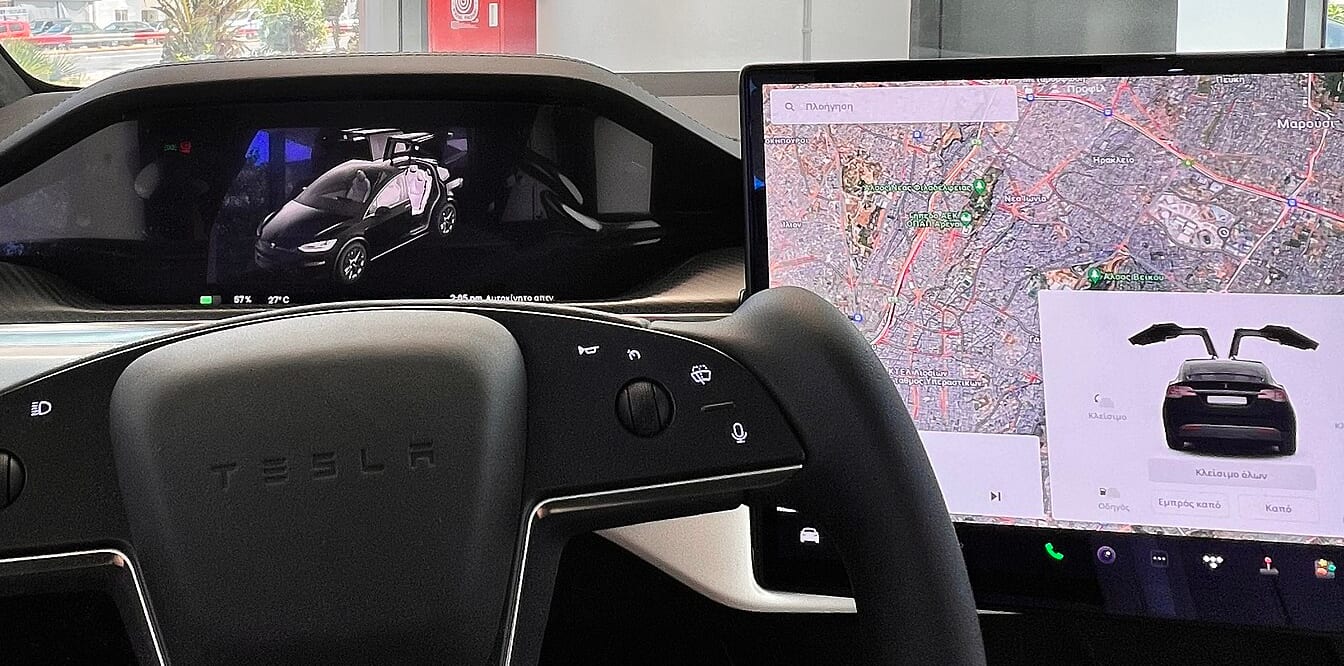
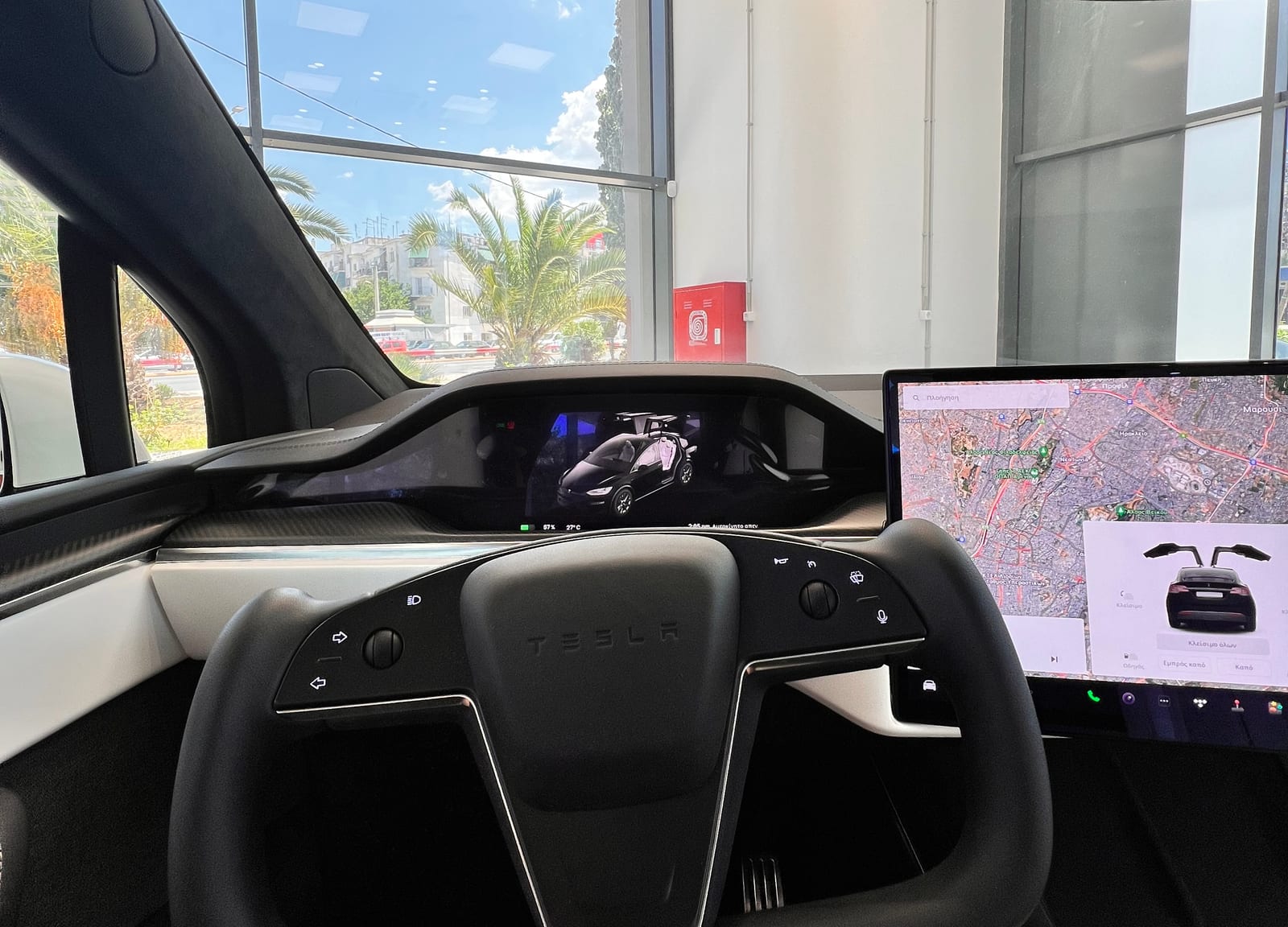
- Designed for the refreshed Model S and Model X, with a 17-inch landscape centre display at 2200×1300; a left-right tilt was announced at the January 2021 reveal and enabled later.
- Runs on an AMD Ryzen-based computer that Tesla rated at up to 10 teraflops for in-car gaming.
- Adds an 8-inch rear-seat screen for passenger entertainment and controls.
- Includes features at first exclusive to these cars, such as window docking, Auto Shift and a music mini-player.
- Its layout and icons were the model for the V11 interface later sent to the Model 3 and Model Y.
Software V11
- Reached the Model 3 and Model Y in the 2021 Holiday Update (2021.44.25) in December 2021, with a look matching the refreshed Model S.
- Customisable bottom app launcher split into fixed apps, user-chosen apps and recent apps.
- Swipeable cards were removed; wipers, odometer, tyre pressures, seat heaters and defrost moved into menus.
- Blind-spot camera view appears under the driving visualisation when an indicator is on.
- Criticised by owners and the press for burying often-used controls such as the defroster deeper in menus.
Software V12
- Arrived on the Model 3 and Model Y with update 2024.14 in spring 2024, taking a layout similar to the Cybertruck's, which already had part of this interface.
- A large, centred 3D model of the car fills the screen while parked.
- Larger media player with EQ and audio settings, search, shuffle and repeat.
- Navigation gained a trip-progress bar, and full-screen driving visualisations reached markets outside North America.
- Limited to cars with the AMD Ryzen computer.
Update 2025.26 (Grok assistant)
- From 12 July 2025, xAI's Grok conversational assistant (beta) became available in Teslas with the AMD infotainment computer.
- Opened from the app launcher or by holding the voice button on the steering wheel.
- At launch Grok could not control the car; the existing voice commands for climate, navigation and media remained separate.
- Requires Premium Connectivity or Wi-Fi.
2025 Holiday Update
- Announced in December 2025.
- Grok can add and edit navigation destinations, including several stops in one request (AMD cars in the US and Canada).
- Reorganised navigation menu, 3D Supercharger site maps with live stall occupancy, and automatic HOV-lane routing.
- Dashcam clips gain an overlay showing speed, gear, steering angle, pedal inputs and FSD state.
- Photobooth selfies from the cabin camera; Apple CarPlay, though rumoured, was not included.
2026 Spring Update (2026.14)
- Arrived in April 2026.
- New parked-car visualisations with higher-quality car models, studio-style lighting and paint and glass reflections, rendered with Unreal Engine, which Tesla had already used on the Model S and Model X.
- At first limited to the 2024-on Model 3 and the 2025-on Model Y.
Sources
- 1.Tesla Model S
- 2.Tesla Model S review
- 3.Tesla rolls out Autopilot
- 4.First look at Tesla's v7.0 software update with Autopilot auto-steering, UI refresh and parking assist
- 5.Tesla v8.0 software update is being pushed right now: all the details and full release notes
- 6.Tesla cars are getting a big update today, but one feature got held back
- 7.Tesla update with Netflix, 'Cuphead' and Smart Summon is rolling out now
- 8.Tesla unveils new Model S with new interior, crazy steering wheel, and more
- 9.Tesla Releases the 2021 Holiday Update with update 2021.44.25
- 10.First look at Tesla's new v11 UI
- 11.Tesla's V11 Update Blasted for Hiding Things Like Defroster Button in Pointless Menus
- 12.First Look at Tesla's V12 User Interface, Full Screen Visualizations and New Media Player
- 13.Tesla debuts hands-free Grok AI with update 2025.26: What you need to know
- 14.Tesla Announces 2025 Holiday Update: Grok Commands, New Santa Mode, Dashcam FSD Overlay, But Lacks CarPlay
- 15.First Look at Tesla's New Visualizations in Update 2026.14
- 16.Tesla Model S Is Like a Desktop Computer With Wheels
- 17.Tesla releases source code for some of its in-car tech
- 18.Hackers manage to unlock Tesla software-locked features worth up to $15,000
Related
Photo credits
Photo credits (16)
- Tesla Model 3 (Highland), centre display“Tesla Model 3 Premium 2023 (3)” (opens in a new tab) · Photo: Oq10pass · CC0 (opens in a new tab) · Wikimedia Commons
- Tesla Model S (2012), cockpit“Tesla Model S digital panels” (opens in a new tab) · Photo: jurvetson (Steve Jurvetson) · CC BY 2.0 (opens in a new tab) · Wikimedia Commons
- Tesla Model X (2015), cockpit, 1 of 2“Interno tesla model x” (opens in a new tab) · Photo: Numobeer · CC BY-SA 4.0 (opens in a new tab) · Wikimedia Commons
- Tesla Model X (2015), cockpit, 2 of 2“Tesla Model X Interior” (opens in a new tab) · Photo: Grassbag · CC BY-SA 4.0 (opens in a new tab) · Wikimedia Commons
- Tesla Model 3 (2017), centre display, 1 of 2“Tesla Model 3 Screen Dec 2020” (opens in a new tab) · Photo: SirAsdof · CC BY-SA 4.0 (opens in a new tab) · Wikimedia Commons
- Tesla Model 3 (2017), cockpit“TeslaModel3-Mai2021-26” (opens in a new tab) · Photo: Ot · CC BY-SA 4.0 (opens in a new tab) · Wikimedia Commons
- Tesla Model X (Palladium), centre displayCropped from “Tesla Model X Plaid Interior” (opens in a new tab) · Photo: Mpelas199 · CC0 (opens in a new tab) · Wikimedia Commons
- Tesla Cybertruck (2023), centre display“Tesla Cybertruck - Interior 3 - Tesla Store Athens 2024” (opens in a new tab) · Photo: Mpelas199 · CC0 (opens in a new tab) · Wikimedia Commons
- Tesla Model Y (Juniper), cockpit, 1 of 2“Tesla Model Y Juniper Long Range AWD White + Black 02” (opens in a new tab) · Photo: Ethan Llamas · CC BY-SA 4.0 (opens in a new tab) · Wikimedia Commons
- Tesla Model Y (Juniper), cockpit, 2 of 2“Tesla Model Y L Premium Long Range AWD interior” (opens in a new tab) · Photo: Ethan Llamas · CC BY-SA 4.0 (opens in a new tab) · Wikimedia Commons
- Tesla Model X (Palladium), cockpitCropped from “Tesla Model X Plaid Interior” (opens in a new tab) · Photo: Mpelas199 · CC0 (opens in a new tab) · Wikimedia Commons
- Tesla Cybertruck (2023), cockpit“Tesla Cybertruck - Interior - Tesla Store Athens 2024” (opens in a new tab) · Photo: Mpelas199 · CC0 (opens in a new tab) · Wikimedia Commons
- Tesla Model 3 (Highland), cockpit“Tesla Model 3 (2023), long range, Japan, interior” (opens in a new tab) · Photo: Kazyakuruma · CC0 (opens in a new tab) · Wikimedia Commons
- Tesla Model S (2012), centre display“Tesla Mittelkonsole” (opens in a new tab) · Photo: Czmartin · CC BY-SA 4.0 (opens in a new tab) · Wikimedia Commons
- Tesla Model X (2015), centre display“Inside the Model X backstage at the unveiling in Fremont (21793493109)” (opens in a new tab) · Photo: Steve Jurvetson from Los Altos, USA · CC BY 2.0 (opens in a new tab) · Wikimedia Commons
- Tesla Model 3 (2017), centre display, 2 of 2“Digital control screen Tesla Model 3 DCA 08 2018 0268” (opens in a new tab) · Photo: Mariordo (Mario Roberto Durán Ortiz) · CC BY-SA 4.0 (opens in a new tab) · Wikimedia Commons