
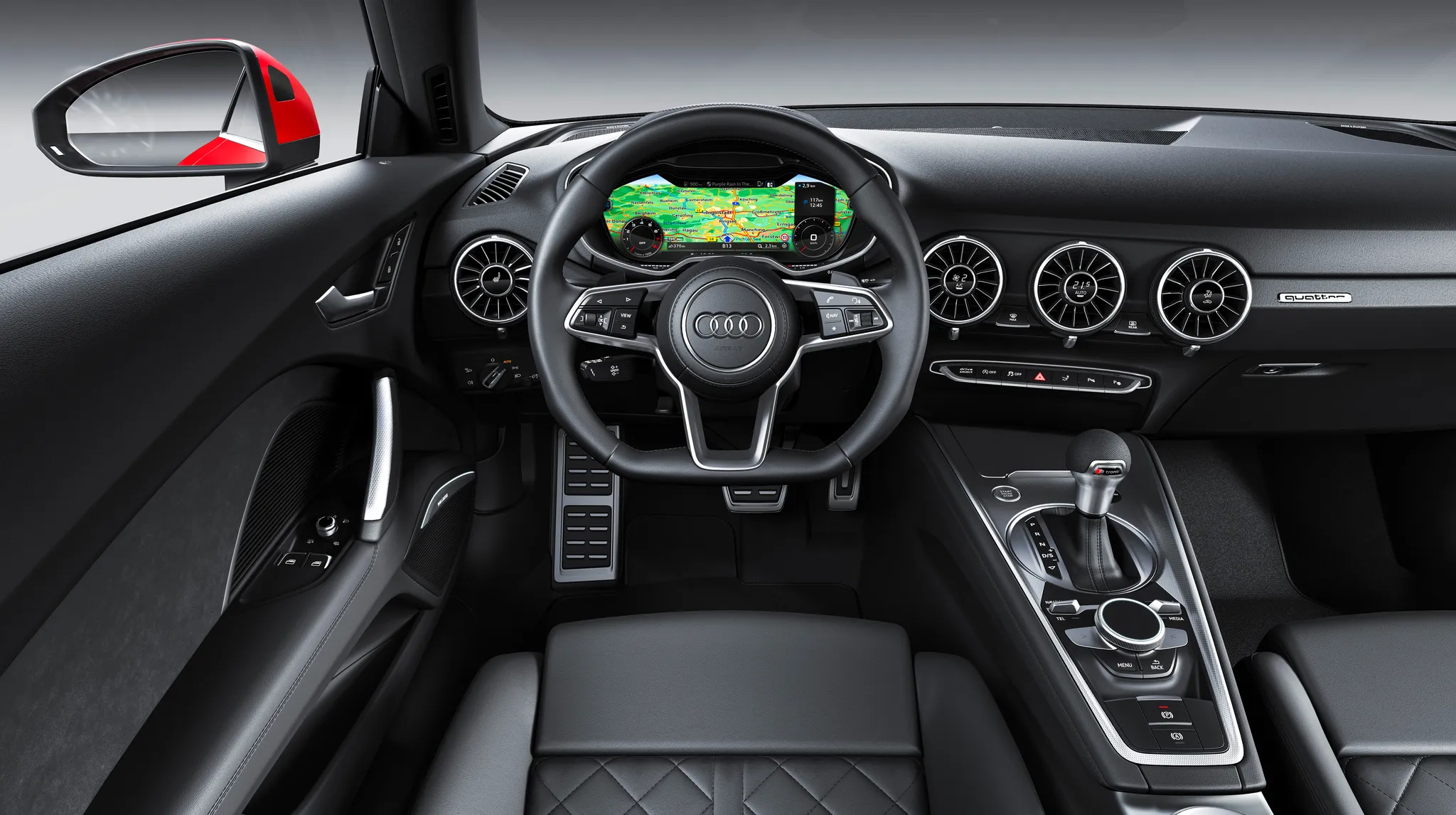
 Cockpit, Audi TT (8S)
Photos
- Cockpit, Audi TT (8S)
 Cockpit, Audi TT (8S)
 Cockpit, Audi TT (8S)
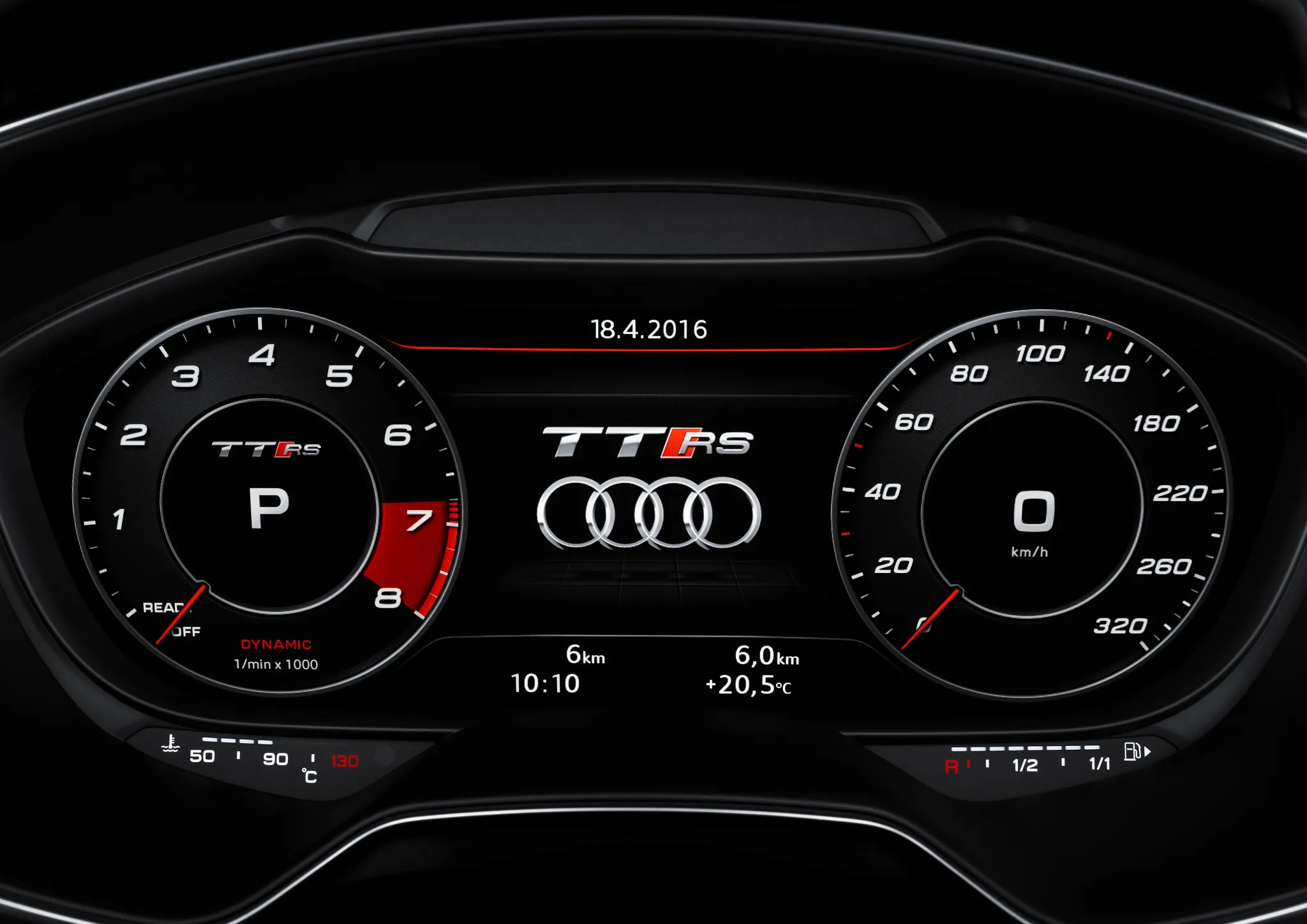 Instrument cluster, Audi TT (8S)
 Instrument cluster, Audi TT (8S)
 Instrument cluster, Audi TT (8S)
 Instrument cluster, Audi TT (8S)
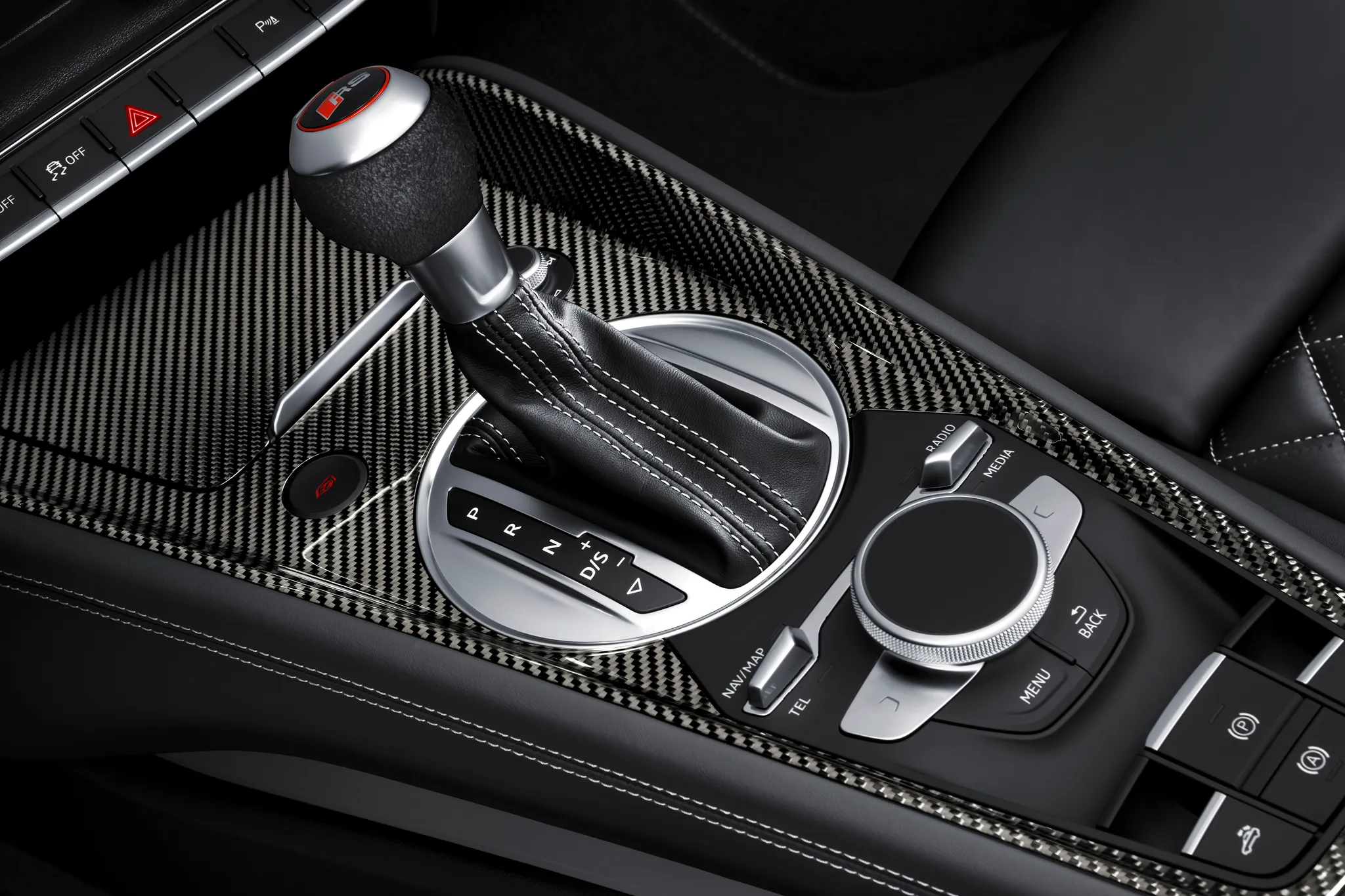 Controls, Audi TT (8S)
 Controls, Audi TT (8S)
 Controls, Audi TT (8S)
Photo credits
Photo credits (10)
- Audi TT (8S), photo 1Cockpit · “Audi TT Coupé (until 2023): Cockpit” (opens in a new tab) · © AUDI AG · Editorial use (opens in a new tab) · Audi Media Center
- Audi TT (8S), photo 2Cockpit · “2014 Audi TT Coupé 2.0 TFSI quattro S tronic 169 kW Interieur virtual cockpit” (opens in a new tab) · Photo: Kickaffe (Mario von Berg) · CC BY-SA 3.0 (opens in a new tab) · Wikimedia Commons
- Audi TT (8S), photo 3Cockpit · “Audi TT Coupé 1.8 TFSI (8S) interior” (opens in a new tab) · Photo: Tokumeigakarinoaoshima · CC BY-SA 4.0 (opens in a new tab) · Wikimedia Commons
- Audi TT (8S), photo 4Instrument cluster · “Audi TT RS Coupé: Detail, Colour: Catalunya Red” (opens in a new tab) · © AUDI AG · Editorial use (opens in a new tab) · Audi Media Center
- Audi TT (8S), photo 5Instrument cluster · “Audi TT 2014 (13558467515)” (opens in a new tab) · Photo: Robert Basic from Germany · CC BY-SA 2.0 (opens in a new tab) · Wikimedia Commons
- Audi TT (8S), photo 6Instrument cluster · “TT Reversing Camera” (opens in a new tab) · Photo: Badgernet · CC BY-SA 4.0 (opens in a new tab) · Wikimedia Commons
- Audi TT (8S), photo 7Instrument cluster · “Audi TT 2014 (13558812864)” (opens in a new tab) · Photo: Robert Basic from Germany · CC BY-SA 2.0 (opens in a new tab) · Wikimedia Commons
- Audi TT (8S), photo 8Controls · “Audi TT RS Roadster (2016): Detail” (opens in a new tab) · © AUDI AG · Editorial use (opens in a new tab) · Audi Media Center
- Audi TT (8S), photo 9Controls · “Audi TT temperature and airflow controls” (opens in a new tab) · Photo: Badgernet · CC BY-SA 4.0 (opens in a new tab) · Wikimedia Commons
- Audi TT (8S), photo 10Controls · “Audi cockpit at CES 2014 2” (opens in a new tab) · Photo: Robert Basic from Germany · CC BY-SA 2.0 (opens in a new tab) · Wikimedia Commons
Elements
Lineage
Audi TT generations


Previous
Compare with the 8JPhoto credits
Photo credits (3)
- Audi TT (8N)Cockpit · “Audi TT 1 (13558529713)” (opens in a new tab) · Photo: Robert Basic from Germany · CC BY-SA 2.0 (opens in a new tab) · Wikimedia Commons
- Audi TT (8J)Cockpit · “2007 Audi TT Roadster Interior” (opens in a new tab) · Photo: Hatsukari715 · Public domain · Wikimedia Commons
- Audi TT (8S)Cockpit · “Audi TT Coupé (until 2023): Cockpit” (opens in a new tab) · © AUDI AG · Editorial use (opens in a new tab) · Audi Media Center
Details
Summary
The third TT debuted the Audi virtual cockpit, which put navigation and media in the driver's display and left the dashboard without a central screen.
Specifications
Cockpit
Instrument cluster
Two views: a classic view with a large speedometer and rev counter, and an infotainment view that shrinks the dials to make room for the map and other functions.
Centre display
MMI (MIB2) shown in the virtual cockpit
Most functions can also be run from the multifunction steering wheel or by voice.
Controls
Temperature, airflow and seat heating are set in the round air vents, each with its own small display.